
Your rules. Your momentum.
Keep your promise.
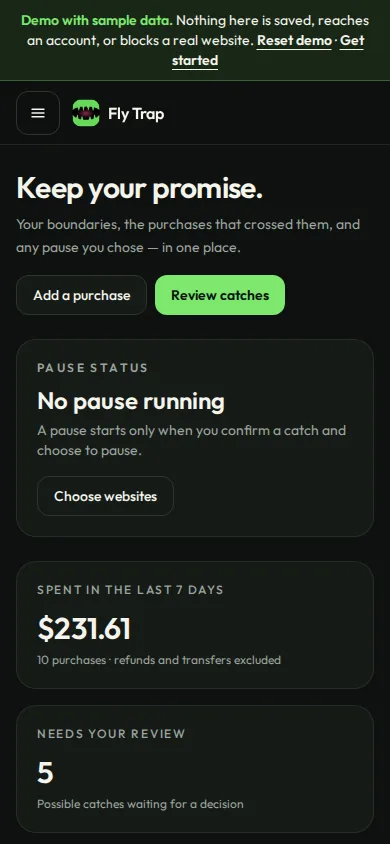
Set spending boundaries, see the purchases that cross them, and decide what each one means. If you confirm a catch, you can pause the websites you chose for 24 hours.
Private betaWeb app · the demo needs no account
Inside the app
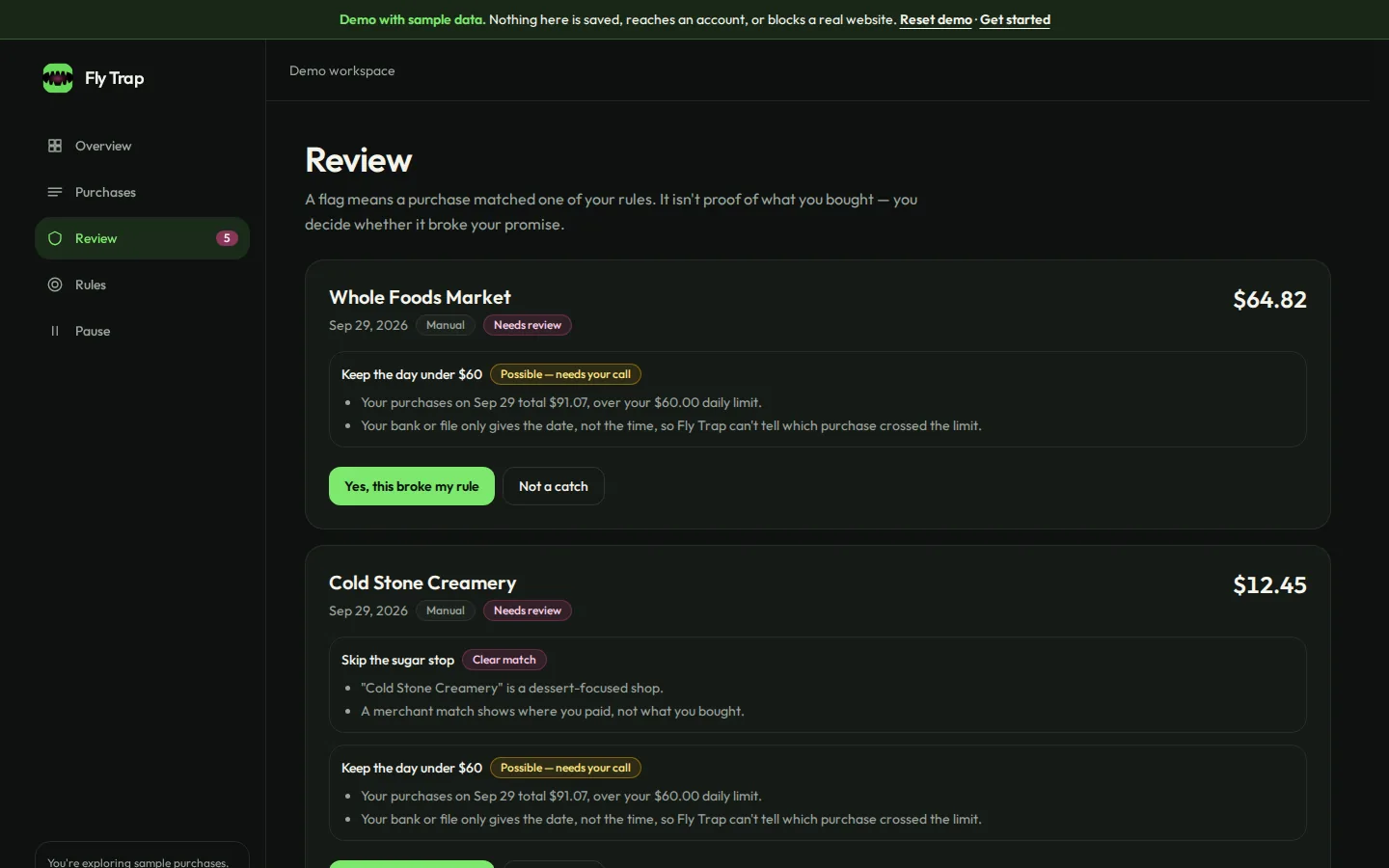
Your habits, in clear view.
Every flag comes with a plain-language reason. You confirm or dismiss it; nothing happens behind your back.
How it works
A little friction. A better you.
Set a boundary
Pick a rule: no food delivery, skip dessert shops, specific merchants, or a daily spending limit.
See your purchases
Add purchases by hand or import a CSV from your bank. Refunds and transfers are shown but never count against you.
Review a catch
Fly Trap explains why a purchase matched. A merchant tells where you paid, not what you bought, so you make the call.
Choose a pause
Confirm a catch and you can pause the websites you picked for 24 hours in your paired browser, with an emergency release.
Optional read-only bank linking through Plaid is in testing and not yet available for real bank accounts. Fly Trap never freezes cards, stops payments, or blocks sites in other browsers or devices.
Honest by design
A flag is a question, not a verdict.
- Clear or possible. A dessert shop is a clear match; a coffee chain or a plain “Uber” charge is marked possible and waits for you.
- Groceries aren't proof. A grocery receipt doesn't say what's in the bag, so dessert rules leave it alone.
- No invented times. When a bank or file gives only a date, Fly Trap says so instead of guessing which purchase crossed your daily limit.
- Nothing automatic. A pause starts only after you confirm a catch, and it never stacks or extends itself.


Privacy and security
Your boundaries belong to you.
Your account, your data
Rules and purchases are stored in Fly Trap's database, visible only to your signed-in account.
No bank passwords
Bank linking is optional and happens in Plaid's window. Fly Trap never sees your bank login.
A narrow browser helper
The companion only knows your chosen sites and when a pause ends. It doesn't read pages or history.
Export or delete anytime
Download everything you've stored, or delete your account and connected bank data.
Private beta
Fly Trap is in private beta
Accounts are open to invited testers while we finish launch details. Pricing hasn't been set. Anyone can try the full demo with sample data now.
- · Works in a modern web browser on desktop or phone
- · Browser companion for Chrome and other Chromium browsers (optional)
- · Optional read-only bank linking through Plaid is in testing and not yet available for real bank accounts.
FAQ
Straight answers.
How do purchases get into Fly Trap?
Add them by hand or import a CSV export from your bank or card. Optional read-only bank linking through Plaid is in testing and not yet available for real bank accounts. Bank updates arrive on the bank's schedule, not instantly.
What happens when a purchase is flagged?
You see why it matched and decide. If you confirm it as a catch, you can start a 24-hour pause on the websites you chose, in your paired browser. You can release a pause early by giving a reason.
Does Fly Trap freeze my card or stop a payment?
No. Fly Trap never freezes cards, blocks payments, or moves money.
Does it know what I bought?
No. Banks share the merchant, date and amount, not the items. That's why flags are questions for you, not conclusions.
Where is my data?
In Fly Trap's hosted database, tied to your account and protected so only you can read it. The browser companion stores only your chosen sites and pause end time. See Privacy & security for details.
What does the browser companion cover?
Only the one Chromium browser profile you pair, and only the sites you chose. Other browsers, other devices, apps, or turning the extension off aren't covered.
More in the help center.